
How to Cancel Chefs Plate in Canada
Thinking about cancelling your Chefs Plate subscription? Whether you’re done trying meal kits, switching to another service, or just tightening your budget, cancelling is straightforward once you know where to look. The link is just a little buried.
To cancel Chefs Plate, log in at chefsplate.com, open your Account Settings, scroll to Plan Settings, open Manage Subscription, and choose the cancel option (labelled “Cancel Subscription” or “Deactivate Plan”). Do this before your weekly cut-off, otherwise your next box still ships and gets charged. You can cancel anytime, with no contracts and no penalty.
How to Log Into Your Chefs Plate Account
Go to chefsplate.com and click “Sign In” in the top right corner, or open the Chefs Plate app and sign in there, using the email and password you signed up with. Every change to your subscription starts here, so log in first before you cancel, pause, or update your plan.
Can’t get in? Use the “Forgot password” link on the sign-in screen to reset it. If the reset email never arrives or your account looks locked, contact Chefs Plate support and they can sort out access.
How to Cancel Your Chefs Plate Subscription
Cancelling Chefs Plate online is simple once you know where to click. The process only takes a couple of minutes, but the platform doesn’t make the cancellation link super obvious, so here’s a straightforward walkthrough.
Step-by-step instructions:
-
Go to chefsplate.com and log into your account.
-
In the top right corner, click your name or profile icon to open the account menu.
-
Select “Account Settings.”
-
Scroll to the Plan Settings section.
-
Open Manage Subscription, then choose the cancel option. It may be labelled “Cancel Subscription” or “Deactivate Plan.”
-
Follow the prompts. Chefs Plate may ask why you’re cancelling.
-
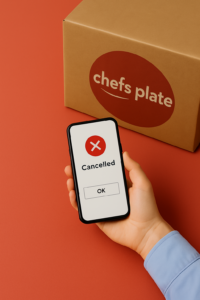
Confirm the cancellation. You should see a confirmation on-screen and receive an email as well.
Complete this before the weekly cut-off, or you’ll still be charged for the next order. If the confirmation email doesn’t show up, log back in and check that your plan reads as deactivated.
How to Cancel Chefs Plate Using the App
You can’t fully cancel Chefs Plate from the mobile app. Unlike some other services, Chefs Plate doesn’t currently allow full cancellation directly through the app, so you’ll need a browser to finish the job.
Here’s what you can and can’t do with the app:
-
You can pause deliveries week by week through the app.
-
You cannot fully cancel or deactivate your subscription from the app as of now.
What to do instead:
To cancel completely, you’ll need to log into your account using a browser, either on your phone or a desktop. Go to chefsplate.com, sign in, and follow the cancellation steps listed in the previous section.
If you’re having trouble or if something doesn’t seem to work, you can also contact Chefs Plate customer support. The quickest route is the live chat on the Contact Us page (click the message icon in the bottom right), or you can email [email protected]. There’s also a phone line at 1-833-608-0883. Support can manually cancel your subscription if needed.
Can You Cancel Chefs Plate Anytime?
Yes, you can cancel Chefs Plate anytime, but timing matters if you want to avoid getting charged for your next box. Chefs Plate runs on a weekly billing cycle with a cut-off deadline each week. Cancel before that deadline, or your upcoming order still ships and gets charged.
Here’s what you should know:
-
The cut-off time is usually 11:59 PM local time, 4 or 5 days before your next delivery. This can vary slightly depending on your region.
-
If you cancel after that deadline, the next week’s box will still be sent and charged.
-
Once the cancellation is confirmed, your subscription will stay deactivated unless you choose to reactivate it later.
There are no contracts or penalties, so you’re not locked in. But the system keeps your subscription active until you act, so missing the deadline means one more delivery than planned.
Set a calendar reminder for two days before your cut-off. That gives you a buffer to log in and cancel without a surprise box slipping through.
Don’t Like Chefs Plate? Here Are the Best Alternatives
If Chefs Plate hasn’t been the right fit, the easiest switch for most people is HelloFresh. It runs on the same model, delivers across Canada, and fixes the two things Chefs Plate customers complain about most: more weekly recipes to choose from and bigger portions. These are the Canadian meal kits worth a look once you’ve cancelled, with HelloFresh leading for variety and portion size.





Common complaints about Chefs Plate:
-
Repetitive recipes week after week
-
Smaller portion sizes that leave you hungry
-
Missing ingredients or packaging errors
-
Customer service delays when things go wrong
-
Limited diet-friendly options (e.g. vegetarian, keto, gluten-free)
If any of those sound familiar, here are a few Canadian alternatives worth considering:
1. HelloFresh
If small portions or the same recipes on repeat pushed you out, this is the direct fix. HelloFresh runs a much larger weekly menu, so you stop seeing the same dishes, and the portions are fuller, which is the complaint that drives most people off Chefs Plate. It works well for families and bigger appetites. See our full HelloFresh vs Chefs Plate comparison for the side-by-side.

Click to Get up to 20 Free Meals + Free Sides for Life
- Over 100 recipes and 200+ meal combinations you can choose from every week
- Fresh, pre-portioned ingredients. Cook and enjoy your meals in under 30 minutes
- Recipes everyone will love, including family-friendly, meat & veggie, vegetarian, and carb & calorie smart
2. Cook It
This Quebec-based service puts an emphasis on local ingredients and chef-curated meals. The packaging is cleaner, and their recipes are a bit more adventurous than Chefs Plate’s.
Both fix the exact things that made you cancel: more variety, fuller portions, fewer delivery hiccups. While you’re already in your account dealing with the cancellation, line up the replacement so you don’t skip a week of dinners. Our reviews on mealkitscanada.ca compare them side-by-side if you want the detail first.
What Happens After You Cancel?
After you cancel, your boxes and billing stop, but your account stays in place so you can reactivate later. Here’s the rest of what to expect so you’re not caught off guard.
Here’s what typically follows:
-
You’ll receive a confirmation email shortly after cancelling. If you don’t see it, check your spam folder or log in to confirm your plan is deactivated.
-
If you cancelled after the weekly cut-off, you’ll still get (and be charged for) one final delivery. This is standard for most meal kits.
-
Your account isn’t deleted, just paused, and you won’t be charged again unless you reactivate or resume your plan.
If you’ve changed your mind after cancelling, it’s easy to restart. Log in and select a new meal plan.
Deactivate vs cancel vs delete: what’s the difference?
These three words get used loosely, but they aren’t the same:
-
Deactivate or cancel: in practice these mean the same thing at Chefs Plate. Your plan stops, the billing stops, and your account stays put, paused indefinitely so you can log back in and reactivate whenever you want.
-
Delete your account: this fully removes your account and your data. The cancel flow doesn’t do this. To delete your account, contact Chefs Plate support and ask for full account and data removal.
So if you just want the boxes and charges to stop, deactivating is all you need. Only reach for deletion if you want your data gone for good.
Pausing vs Cancelling: What’s the Difference?
Pausing skips boxes but keeps your subscription active, so you can still be charged if you forget to skip; cancelling shuts it down for good. If you’re not sure you want to leave Chefs Plate entirely, pausing is the softer option, but the differences are worth considering before you pick one.
What happens when you pause:
-
You won’t receive any boxes during the weeks you skip.
-
You can skip multiple weeks at a time, but you need to do it manually.
-
Your subscription remains active in the background, meaning you could be charged again if you forget to skip.
When pausing makes sense:
-
You’re going on vacation or need a short break from meal kits.
-
You want to wait for new recipes or a better deal before ordering again.
-
You’re trying another service but may return to Chefs Plate.
When cancelling is the better move:
-
You’re done with the service for the foreseeable future.
-
You want to avoid surprise charges.
-
You’ve found a better fit and won’t be coming back.
Pausing is convenient in the short term, but it doesn’t fully shut things down. If you want a clean break with no risk of getting billed again, cancelling is the safer choice.
Frequently Asked Questions
Can you cancel Chefs Plate anytime?
Yes. There are no contracts and no cancellation penalties, so you can deactivate your plan whenever you like. The only thing that matters is timing: cancel before your weekly cut-off, or the next box still ships and gets charged.
How do I log into my Chefs Plate account?
Go to chefsplate.com and click “Sign In” in the top right, or open the Chefs Plate app and sign in there, using the email and password from sign-up. Forgot your password? Use the “Forgot password” link to reset it, and contact support if you still can’t get in.
What’s the difference between deactivating and deleting my account?
Deactivating (the cancel option) stops your boxes and your billing while leaving your account in place, paused indefinitely so you can return later. Deleting your account fully removes your account and personal data, and you can only do that by contacting Chefs Plate support to request it.
How do I contact Chefs Plate customer support?
The fastest option is the live chat on the Contact Us page, reached by clicking the message icon in the bottom right corner. You can also email [email protected] or call 1-833-608-0883. Support is typically available Monday to Friday and on weekends, with shorter weekend hours, so check the Contact Us page for the current times. Support can help with cancellations, account access, and account deletion.
Can I cancel Chefs Plate from the app?
Not fully. The app lets you pause or skip deliveries week by week, but it doesn’t currently let you deactivate your plan outright. To cancel completely, log in through a browser at chefsplate.com and follow the cancellation steps, or ask support to cancel for you.
How to Cancel Chefs Plate: Final Thoughts
Cancelling Chefs Plate is straightforward once you know where to look. Whether you’re using the website or contacting support for help, the process doesn’t take long. Just make sure you act before the weekly cut-off to avoid any unexpected charges.
Two things to do right now. First, if your next box isn’t cancelled yet, log in and cancel your plan before this week’s cut-off so you don’t get charged for one more delivery. Second, if portions, variety, or delivery hiccups pushed you out, take two minutes to compare the alternatives above. HelloFresh is the closest like-for-like switch for most people leaving Chefs Plate. Set one calendar reminder for the cut-off, handle the cancel, and you’re done.
Explore Our In-Depth Meal Kit Reviews
Read Our Meal Kit Comparison Articles
- Cook It VS WeCook
- HelloFresh VS Blue Apron
- HelloFresh VS GoodFood VS Chefs Plate
- Chefs Plate VS HelloFresh
- Cook It VS GoodFood
- Fresh Prep VS HelloFresh
- HelloFresh VS GoodFood
- HomeChef VS HelloFresh
Looking for the cheapest meal kits? Use our cost comparison tool to find your best budget-friendly option now!
Not sure which meal kit is right for you? Compare Canada’s top meal kit delivery services and find your perfect match!